
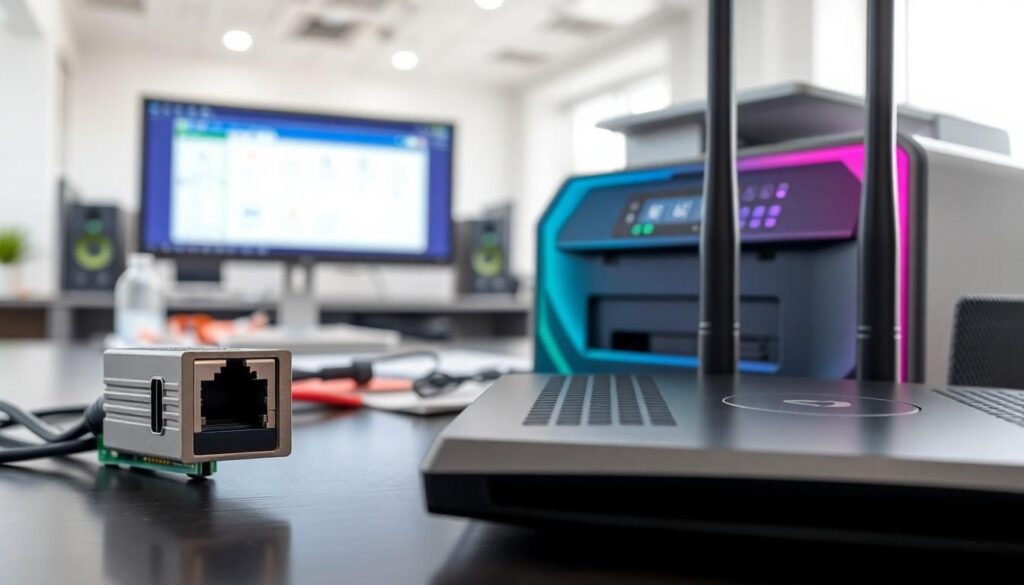

In today’s tech-savvy world, connecting devices and printers over a network is as essential as knowing how to make a decent cup of coffee—without it, chaos reigns. But what hardware makes this magical connection happen? It’s not just about having the latest gadgets; it’s about understanding the unsung heroes that keep everything running smoothly.
Overview of Networking Components
Networking components play a vital role in connecting devices and printers over a network. These components include network interface cards, routers, switches, and access points.
Network interface cards (NICs) enable computers and printers to communicate over a network. Each device requires a NIC to convert data into a format suitable for transmission. This component can be integrated into the motherboard or added as an external card.
Routers connect multiple networks, directing data traffic between them. They also serve as gateways to the internet, allowing local devices to access online resources. For optimal performance, it’s essential that routers support the correct wireless standards and configurations.
Switches facilitate communication within a local area network (LAN). By connecting multiple devices, switches help to manage data flow efficiently. Stacking multiple switches can expand the network capacity.
Access points extend the wireless coverage of a network. They allow devices without wired connections to access resources within the network. Coverage should be optimized based on the physical layout of the workspace to ensure all areas are connected adequately.
Cabling infrastructure also contributes significantly to network connectivity. Ethernet cables carry data between devices, providing a reliable connection. While fiber optic cables offer faster speeds for larger distances, Cat5e and Cat6 cables serve well for most common applications.
Power over Ethernet (PoE) technology simplifies the connection of devices by delivering power along with data through the same cable. This feature is particularly useful for devices like IP cameras or wireless access points.
Understanding these components can improve overall network performance and reliability, ensuring smooth integration between devices and printers.
Essential Hardware for Network Connectivity

Connecting devices and printers over a network requires specific hardware components. Understanding these elements helps ensure efficient and reliable communication.
Network Interface Card (NIC)
A network interface card (NIC) connects a computer to a network. This component converts data from digital to analog for easy transmission over various media. NICs operate with both wired and wireless networks, serving as a crucial bridge for data transfer. They typically support various speeds, such as 100 Mbps or 1 Gbps, impacting overall performance. Installing a quality NIC enhances connectivity and is essential for a seamless user experience.
Wi-Fi Adapter
A Wi-Fi adapter enables wireless connectivity for devices. This component allows computers and printers to connect to a wireless network without needing physical cables. Many Wi-Fi adapters support multiple standards, such as 802.11ac or 802.11ax, enhancing speed and range. Choosing an adapter with advanced features, like dual-band capability, can improve performance in crowded environments. Ensuring compatibility with current networking standards supports smoother operations.
Ethernet Port
An Ethernet port provides a physical connection point for wired networking. This port allows devices to connect directly to a router or switch using Ethernet cables. Most computers and printers come equipped with an Ethernet port, ensuring access to stable and fast networks. Using this port typically results in lower latency and higher speeds compared to wireless options. Ensuring the presence of an Ethernet port is vital for consistent connectivity and is often preferred in office environments.
Printers and Network Connections
Network printers play a critical role in modern environments, allowing multiple devices to share printing resources efficiently. They come in various types, each designed to meet specific needs.
Types of Network Printers
Laser printers offer speed and high-quality text output, making them suitable for office settings with heavy printing demands. Inkjet printers excel in producing vibrant color images and are ideal for smaller tasks or home use. Multifunction printers combine printing, scanning, copying, and faxing, providing versatility in one device. Network printers may be wired or wireless, with wireless options facilitating easy placement without the need for cables. Each type depends on the application’s requirements, where factors such as volume and color quality influence choice.
Connecting Printers to a Network
To connect a printer to a network, start by ensuring it has a built-in network interface. This allows the printer to communicate over wired or wireless connections. Network settings must be configured, commonly through a control panel or software provided by the manufacturer. Wi-Fi Protected Setup (WPS) enables easier wireless connections. An Ethernet cable establishes direct connections for stable, high-speed access. Once configured, users can add the printer to their devices, creating seamless access for multiple users. Maintaining proper network protocols guarantees optimal communication between printers and connected devices.
Understanding the hardware that enables devices and printers to connect over a network is crucial for optimizing performance. Key components like network interface cards routers and switches work together to facilitate seamless communication.
The importance of having the right equipment cannot be overstated. Whether using wired connections through Ethernet ports or wireless options via Wi-Fi adapters each element plays a role in ensuring reliable connectivity.
By recognizing these vital components businesses and individuals can enhance their network efficiency and improve overall productivity. Investing in quality hardware is a step toward creating a robust networking environment that meets modern demands.


